|
|
||
|---|---|---|
| corpus | ||
| docs | ||
| src | ||
| tests | ||
| .gitignore | ||
| manifest.bjodat | ||
| packages.lock.json | ||
| README.md | ||

keyscore
keyscore scores and optimizes keyboard layouts for an ISO Swedish keyboard typed with the angle mod. It scores on Swedish and English text, and it has a GUI for tuning the scoring.
It is written in Bjolang. The GUI uses bjogui.
The model
The scoring starts from Michael Capewell's rules and adds more rules. Lower is better. A score is a cost per key press.
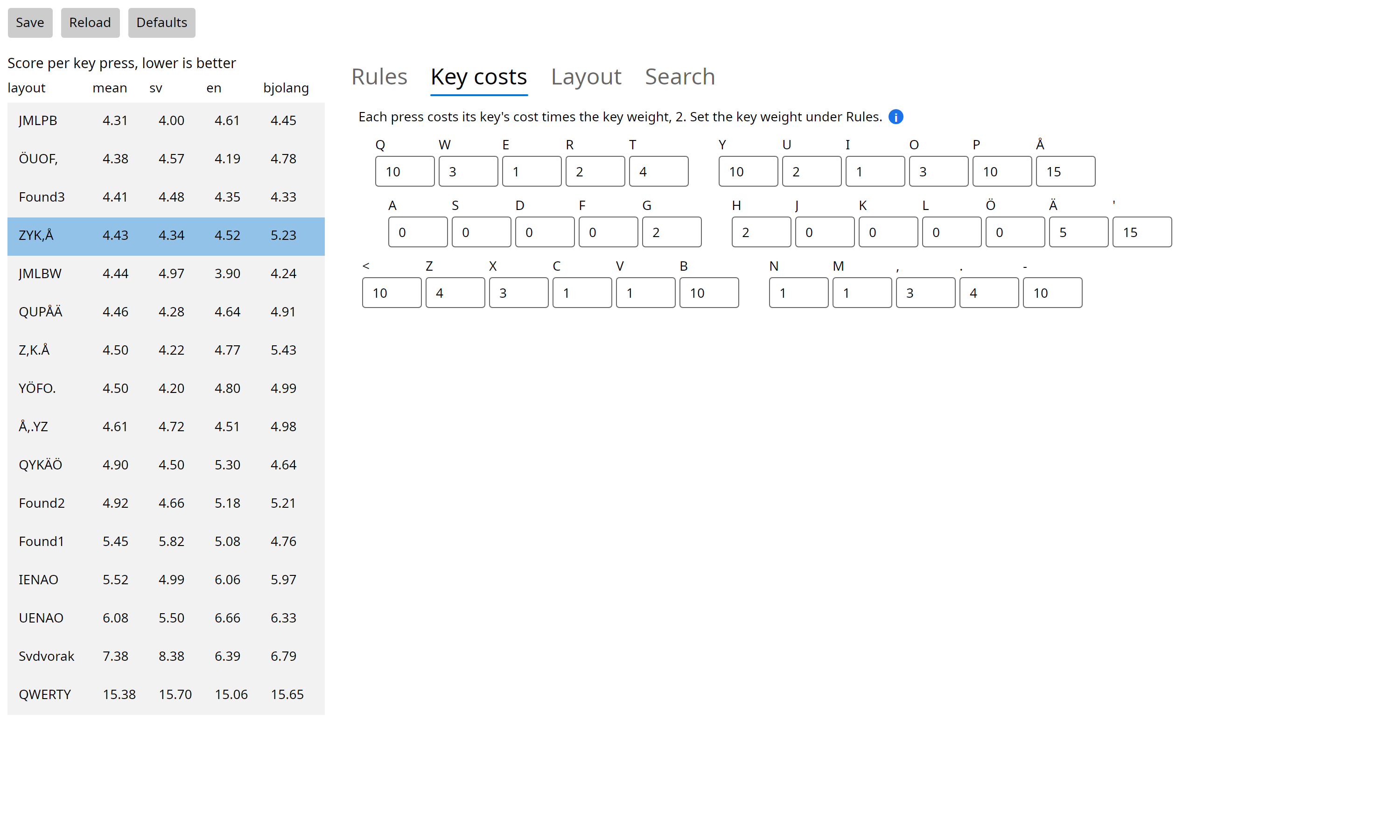
- Key costs: each key has a cost. A press costs the key's cost times the key weight.
- Vowels on the top row: each press of a vowel on the top row costs more.
- Pairs: a rule gives a cost or a bonus to each pair of presses on one hand. The rules are stretch keys, same finger, jumps between the top and bottom rows, easy jumps, close keys and adjacent keys. A pair with a space between costs a share of the full cost.
- Row motion: a pair on one hand that changes rows costs by direction. If the outer finger is up, the hand keeps its shape. If the inner finger or a pinky is up, the hand twists. Pairs with the bottom row cost more, except pairs with the index keys.
- Triples: hand runs, same-finger skips and two-finger runs.
- Pinky load: each pinky can type a share of all presses at no cost. Each press past that share costs extra.
- Finger distance: how far the fingers travel, in key widths per press. By default it is shown but not scored.
src/score.bjo describes each rule. src/board.bjo describes the board
and the key costs.
The texts are in corpus/:
sv.txtanden.txtare extracts of featured Wikipedia articles.corpus/fetch.pyfetches them again. They have the same weight.bjolang.txtis Bjolang source code. Its weight is 0: it is shown but not in the mean.
Running
You need Bjolang. Put bjogui next to this folder, as ../bjogui. Run the
programs from this folder.
| Command | What it does |
|---|---|
bjo run . |
Prints the report: each layout's score on each text, the parts of the scores, and the pairs that cost each layout most. |
bjo run src/gui.bjo |
Opens the GUI. |
bjo run src/optimize.bjo [runs] [steps] [layout] [t-start] [vowels-left] [fixed=CHARS] |
Searches for a better layout by simulated annealing. |
bjo run src/swaps.bjo [char] [layout] |
Tries to swap one character with each other key. |
bjo run src/word.bjo word [layout] |
Shows what a word costs a layout, pair by pair. |
bjo run tests/gui-shots.bjo [folder] |
Tests the GUI without a screen, and saves the screenshots in this file. |
All the programs score with the numbers in params.txt if that file exists.
If not, they use the defaults. The GUI writes params.txt.
The GUI
The left side shows each layout's score, best first. A change to a number rescores all the layouts at once. Click a layout to choose it for the Layout and Search tabs.
Each number and option has a blue "i" mark. Point at the mark to see what the setting does and its default value.
Rules
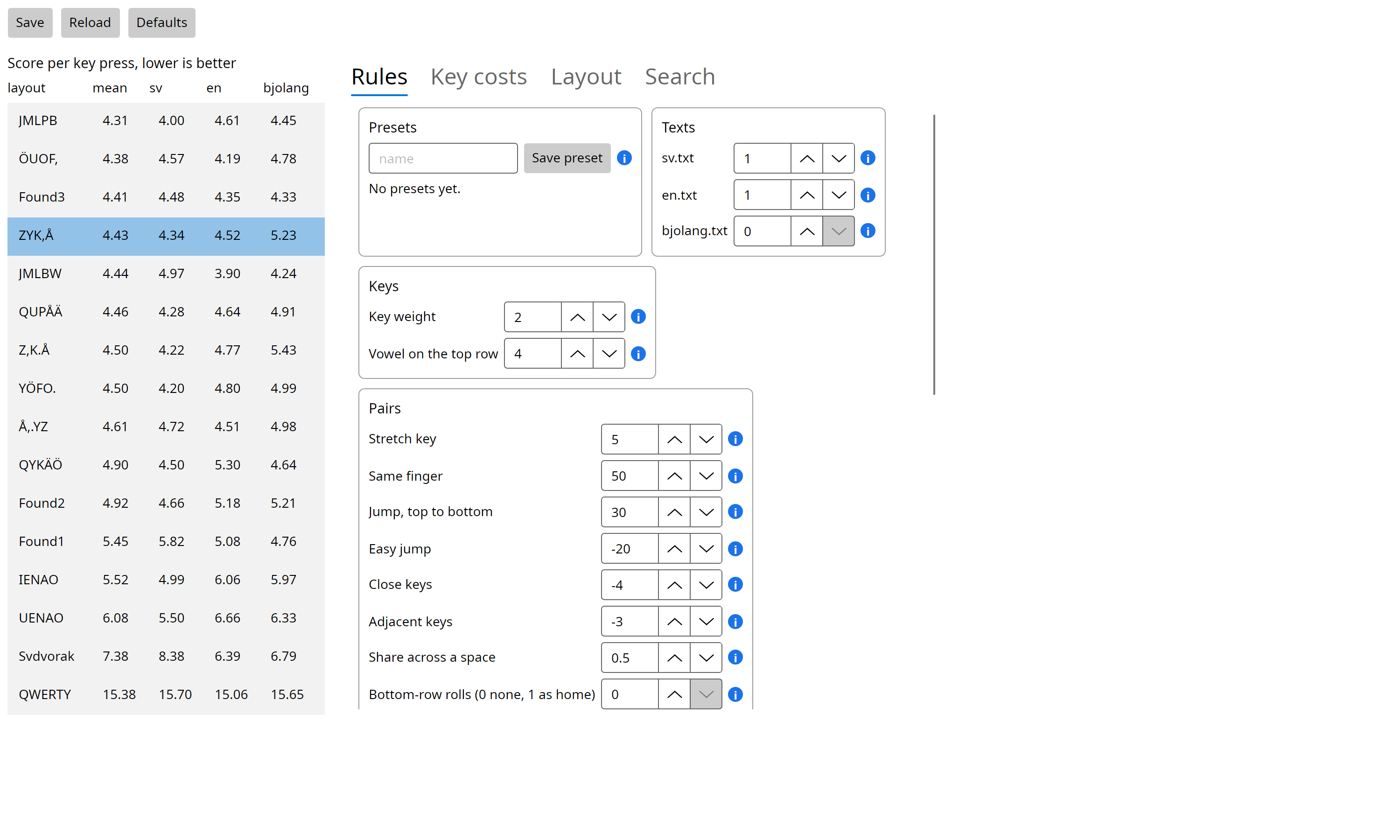
All the numbers of the model, by group. You can save the numbers as a named
preset. Presets are kept in presets/. Save at the top writes the
numbers to params.txt for the other programs. Defaults puts back the
built-in numbers.
Key costs
The cost of each key, shown on the board.
Layout
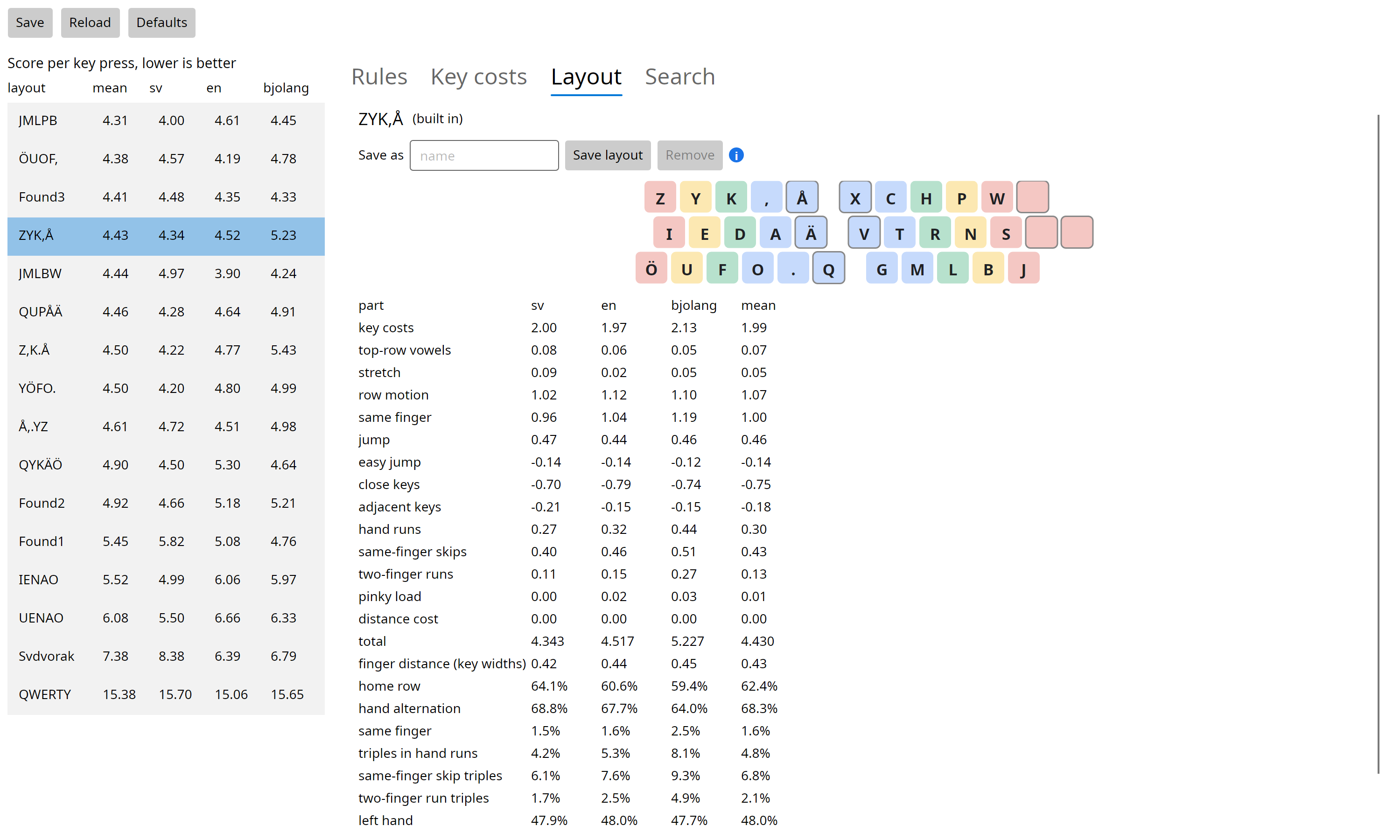
The chosen layout and each part of its score, for each text and as the mean.
You can save a layout under a name, or remove a layout that is not built in.
Saved layouts are kept in saved-layouts.txt and are listed at start.
Search
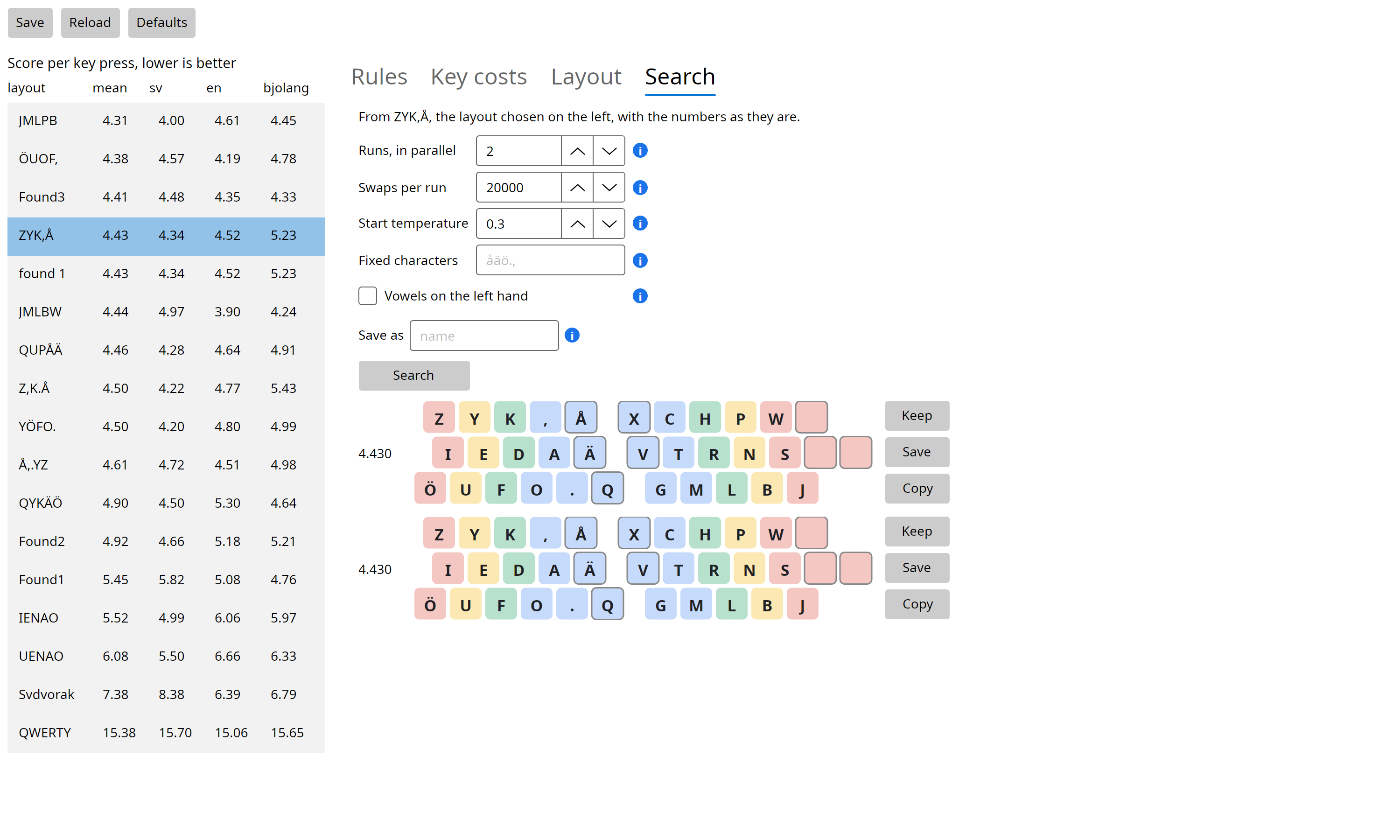
Runs the optimizer from the chosen layout with the current numbers. For each result:
- Keep adds it to the list.
- Save saves it under the name in "Save as".
- Copy puts it on the clipboard as a
make-layoutform forsrc/layouts.bjo.
Layouts
The built-in layouts are in src/layouts.bjo. A layout is three rows of
characters. The top row starts at Q, the home row at A and the bottom row at
<. Spaces are skipped. With the default numbers the optimized layouts score
about 4.3 to 4.5, Svdvorak scores 7.38 and QWERTY 15.38. An example is
ZYK,Å:
ZYK,Å   XCHPW
IEDAÄ   VTRNS
ÖUFO. Q GMLBJ