 Linus Björnstam
3b06fc0488
Linus Björnstam
3b06fc0488
🤖 Generated with [ECA](https://eca.dev) (anthropic/claude-opus-4-8)

Co-Authored-By: eca-agent <git@eca.dev>
12 KiB
bjogui
- How it works
- The views: (bjogui view)
- Colours and borders
- Components: view-map
- Drawing: canvas
- Controls of your own: component and (bjogui draw)
Desktop programs in Bjolang, written as a model, a gui-update and a view,
and shown with Avalonia.
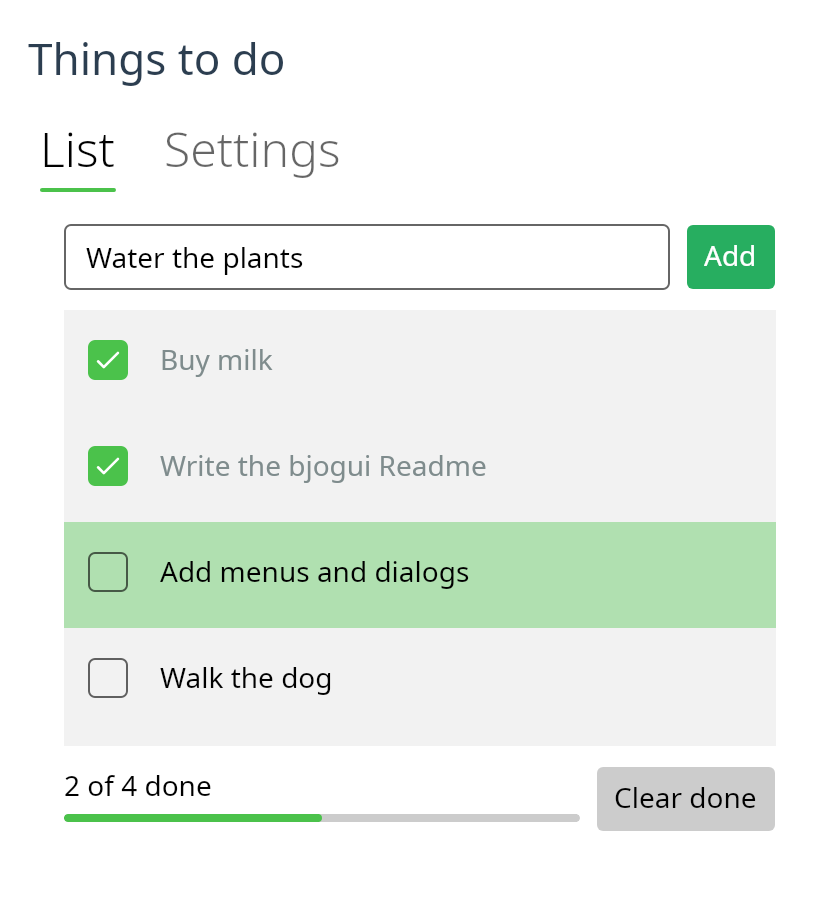
The todo list above is examples/todo.bjo.
(import (bjogui view))
(import (bjogui app))

(type (: Msg (Union Inc Dec)))

(: gui-update (-> Msg int (Tuple int (List (Event Msg)))))
(defun (gui-update msg n)
  (next (match msg (Inc (+ n 1)) (Dec (- n 1)))))

(: view (-> int (View Msg)))
(defun (view n)
  (row #:spacing 8.0 #:margin 16.0
    (button "-" Dec)
    (text #"${n}")
    (button "+" Inc)))

(defun (main)
  (run-app 0 gui-update view #:title "Counter"))
A program never names an Avalonia type. A view is a Bjolang value, an event is a message, and the controls are made and changed by the package.
How it works
An event finds its message in the view its control was last given.
gui-update makes the next model from the message, and view makes the next
view. The next view is compared with the last one, control by control, and
only what differs is changed. So a control keeps its focus, its caret and its
scroll position when the model changes.
Children are matched by key, and those with no key by their place among
the others with none. Give each item of a list that can change order a key
with (keyed id view): a child that moves then keeps its control, and the
control is moved rather than made again. A child whose kind changes gets a
new control.
A control that is changed raises events of its own: a text input whose text is set says that its text changed. Those events come while the controls are being changed, and they are dropped, so only the user's events are messages.
The views: (bjogui view)
| Constructor | Control | Sends |
|---|---|---|
(text s) |
TextBlock |
nothing |
(button label msg) |
Button |
msg on a click |
(text-input value on-input) |
TextBox |
(on-input text) on a change |
(text-area value on-input) |
TextBox, several lines |
(on-input text) |
(checkbox label checked? on-toggle) |
CheckBox |
(on-toggle checked) |
(slider value minimum maximum on-change) |
Slider |
(on-change value) |
(progress-bar value) |
ProgressBar |
nothing |
(dropdown options selected on-select) |
ComboBox |
(on-select index) |
(image path) |
Image |
nothing |
(image-data bytes), the bytes of a picture file |
Image |
nothing |
(list-box views selected on-select) |
ListBox |
(on-select index) |
(tabs selected on-select (tab header view) ...) |
TabControl |
(on-select index) |
(column child ...), (row child ...) |
StackPanel |
nothing |
(grid #:columns #:rows child ...) |
Grid |
nothing |
(scroll child) |
ScrollViewer |
nothing |
(border child) |
Border |
nothing |
(toggle-switch label on? on-toggle) |
ToggleSwitch |
(on-toggle on) |
(radio label chosen? msg) |
RadioButton |
msg when it is chosen |
(number-input value on-change) |
NumericUpDown |
(on-change value) |
(date-picker "2026-10-25" on-change) |
DatePicker |
(on-change date) |
(auto-complete value options on-input) |
AutoCompleteBox |
(on-input text) |
(expander header expanded? on-toggle child) |
Expander |
(on-toggle expanded) |
(tree-view chosen on-pick (tree-node key header ...) ...) |
TreeView |
(on-pick key) |
(flow child ...) |
WrapPanel |
nothing |
(dock child ...), with at-top, at-left … |
DockPanel |
nothing |
(menu-bar (submenu label (menu-item label msg) ...)) |
Menu |
msg when an item is chosen |
They take keywords where they apply: #:size (the font size of a text),
#:wrap (a text breaks its lines at its width), #:width, #:height,
#:margin, #:padding, #:spacing (between the children of a column, a row
or a grid), #:enabled, #:placeholder, #:step (a slider's arrow key) and
#:maximum (a progress bar's full, 1 unless told otherwise). A size of zero,
the default, leaves the size to the control.
A grid's #:columns and #:rows are sizes as Avalonia writes them: "Auto"
fits the content, "*" shares what is left, "2*" takes two shares, and a
number is pixels. (at row column view) puts a view in a cell, counting from
0, with #:row-span and #:column-span.
(grid #:columns "Auto,*" #:rows "Auto,Auto" #:spacing 6.0
  (at 0 0 (text "Volume")) (at 0 1 (slider (.volume m) 0.0 10.0 Volume))
  (at 1 0 (text "Colour")) (at 1 1 (dropdown ["red" "green" "blue"] (.colour m) Colour)))

(scroll (apply column (vec->array (vec-map (fun (t) (keyed (.id t) (text (.title t))))
                                           (.todos m))))
        #:height 200.0)
An image that cannot be read shows nothing. image-data reads its bytes
again only when it is given another array, so keep the array in the model.
A list box's items are views, so an item can be anything: a text, a row with a checkbox, a dropdown. Give them keys if the list can change order. Each item is a control, so a list of thousands makes thousands of controls.
(tabs (.tab m) Tab
  (tab "Todo" (list-box (vec-map (fun (t) (keyed (.id t) (text (.title t)))) (.todos m))
                        (.chosen m) Chose))
  (tab "Settings" (checkbox "Dark" (.dark m) Dark)))
Colours and borders
(paint view #:colour #:background) colours any view: #:colour is the
text, #:background what is behind it. A colour is a name such as "red",
or "#rgb", "#rrggbb" or "#aarrggbb". The empty string, the default,
leaves the colour to the theme, and so does a colour that cannot be read.
(border child #:colour #:thickness #:radius #:background #:padding) draws
a line around a view, with round corners if #:radius is more than zero.
(border (paint (text "Saved") #:colour "#c0392b")
        #:colour "#2980b9" #:radius 8.0 #:background "#ecf0f1" #:padding 8.0)
The Fluent theme gives a button its own colours when the pointer is over it or it is pressed, so a painted button shows the theme's colour then.
More wrappers: (tooltip view "text"), (with-context-menu view item ...)
for a menu on the right button, and (classed view "name" ...) for styles.
A tree node is known by its key, which must be its own in the tree. A node
is open at first when it says #:expanded; after that the user opens and
closes it.
Components: view-map
A part of a program can have a message type, an update and a view of its
own, and know nothing of the program it is in. (view-map f view) puts its
view in a larger one: each message it sends is given to f first, which is
usually the case of the larger message that carries it.
(type (: Msg (Union (: Colour PickerMsg) (: Width PickerMsg) ...)))

(column (view-map Colour (picker-view (.colour m)))
        (view-map Width (picker-view (.width m))))

((Colour pm) (next (record-set m (colour (picker-update pm (.colour m))))))
Drawing: canvas
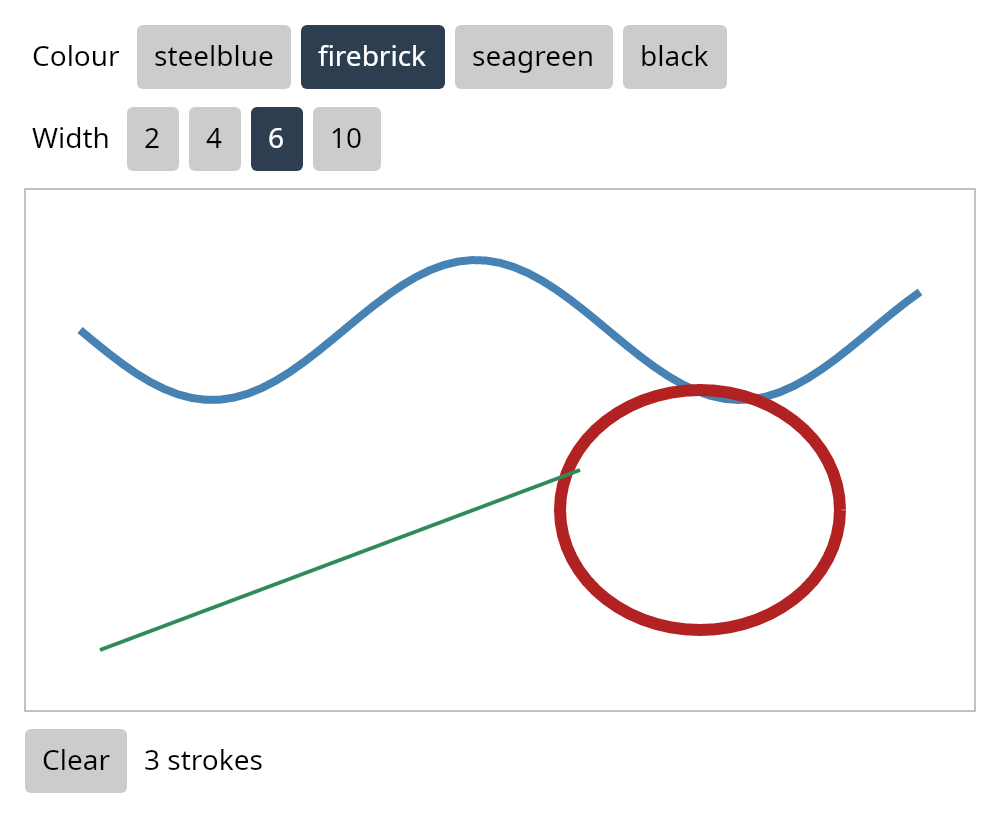
(canvas width height shape ...) is a surface to draw on. A shape is placed
by its own numbers, and any other view by (at-point x y view).
| Shape | Takes |
|---|---|
(rect x y width height) |
#:fill, #:stroke, #:stroke-width, #:radius |
(ellipse x y width height) |
#:fill, #:stroke, #:stroke-width |
(line x1 y1 x2 y2) |
#:stroke, #:stroke-width |
(path "M 10 10 L 50 10 L 30 40 Z") |
#:fill, #:stroke, #:stroke-width |
A path is written as SVG writes one. (on-press canvas f), (on-move canvas
f) and (on-release canvas f) send (f x y), the place on the canvas, when
a button is pressed, when the pointer moves, and when the button is let go.
A press takes the pointer, so a drag that leaves the canvas still reaches it.
Shapes are views like any other, so keyed ones are kept as their list
changes. examples/sketch.bjo is the picture
above, and uses two components of its own.
Controls of your own: component and (bjogui draw)
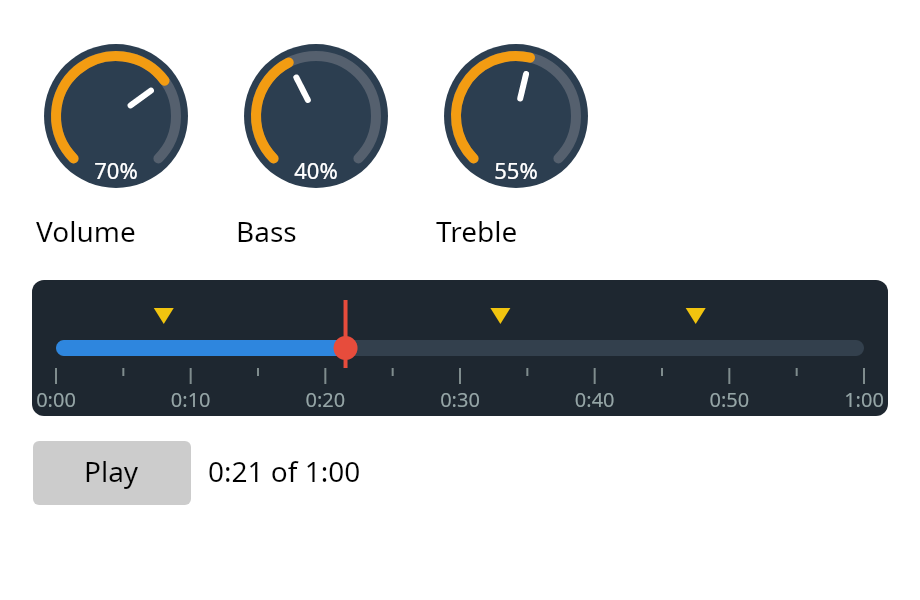
(component state draw #:input #:cursor #:focusable) makes a control that
draws itself and hears the pointer and the keys. It keeps a state of its own,
such as where a drag started or where the pointer hovers, which the model
never sees. (drawn c value on-output) puts it in a view: it shows value,
and each output it sends is made a message with on-output, as a slider's
value is.
(import (bjogui draw))

;; Where a drag started, and the value then.
(type (: Drag (Union Idle (: Dragging double double))))

(: knob (Component double Drag double))
(def knob
  (component Idle
    (fun (pen w h s v)
      (fill-circle pen (/ w 2.0) (/ h 2.0) (/ w 2.0) "#2c3e50")
      (stroke-arc pen (/ w 2.0) (/ h 2.0) (- (/ w 2.0) 6.0) 2.4 (* v 4.7) "orange"
                  #:width 5.0 #:cap "round"))
    #:input (fun (in w h s v)
              (match (Tuple in s)
                ((Tuple (PointerDown p) _) (Tuple (Dragging (.y p) v) None))
                ((Tuple (PointerMove p) (Dragging y0 v0))
                 (Tuple s (Some (max 0.0 (min 1.0 (+ v0 (/ (- y0 (.y p)) 150.0)))))))
                ((Tuple (PointerUp _) _) (Tuple Idle None))
                (_ (Tuple s None))))
    #:cursor (fun (s v) "Hand")))

;; In a view:
(drawn knob (.volume model) Volume #:width 80.0 #:height 80.0)
(draw pen width height state value)draws the component at its size. It is called again when the value, the state or the size changes, and not otherwise.(input in width height state value)gives the next state, and maybe an output.inis anInput:(PointerDown p),(PointerMove p),(PointerUp p),PointerEnter,PointerLeave,(Wheel p dx dy),(KeyDown "Ctrl+Z"),FocusInandFocusOut. APointerhasxandyfrom the component's corner,button("left","right","middle"),clicks(2 for a double click) andmods("Ctrl+Shift").- A press takes the pointer, so a drag that leaves the component still
reaches it. A
#:focusablecomponent takes the keys when it is pressed. - An input that changes the state or sends an output is the component's, and goes no further. Any other goes on to the parents, so a key the component does not use still works as a shortcut.
- With no
#:widthor#:height, a component fills the space it is given, and is drawn again when that changes. - Make a component once, at the top of a module. A view in the place of another component is a new control, whose state starts again.
- A component that sends nothing needs its type written, because its output
type is not known:
(: lamp (Component bool Unit Unit)).
(bjogui draw) is the pen. Its coordinates start at the component's top left
corner, its colours are strings, and its angles are radians, clockwise from
the right, as sin and cos take them.
- Shapes: